
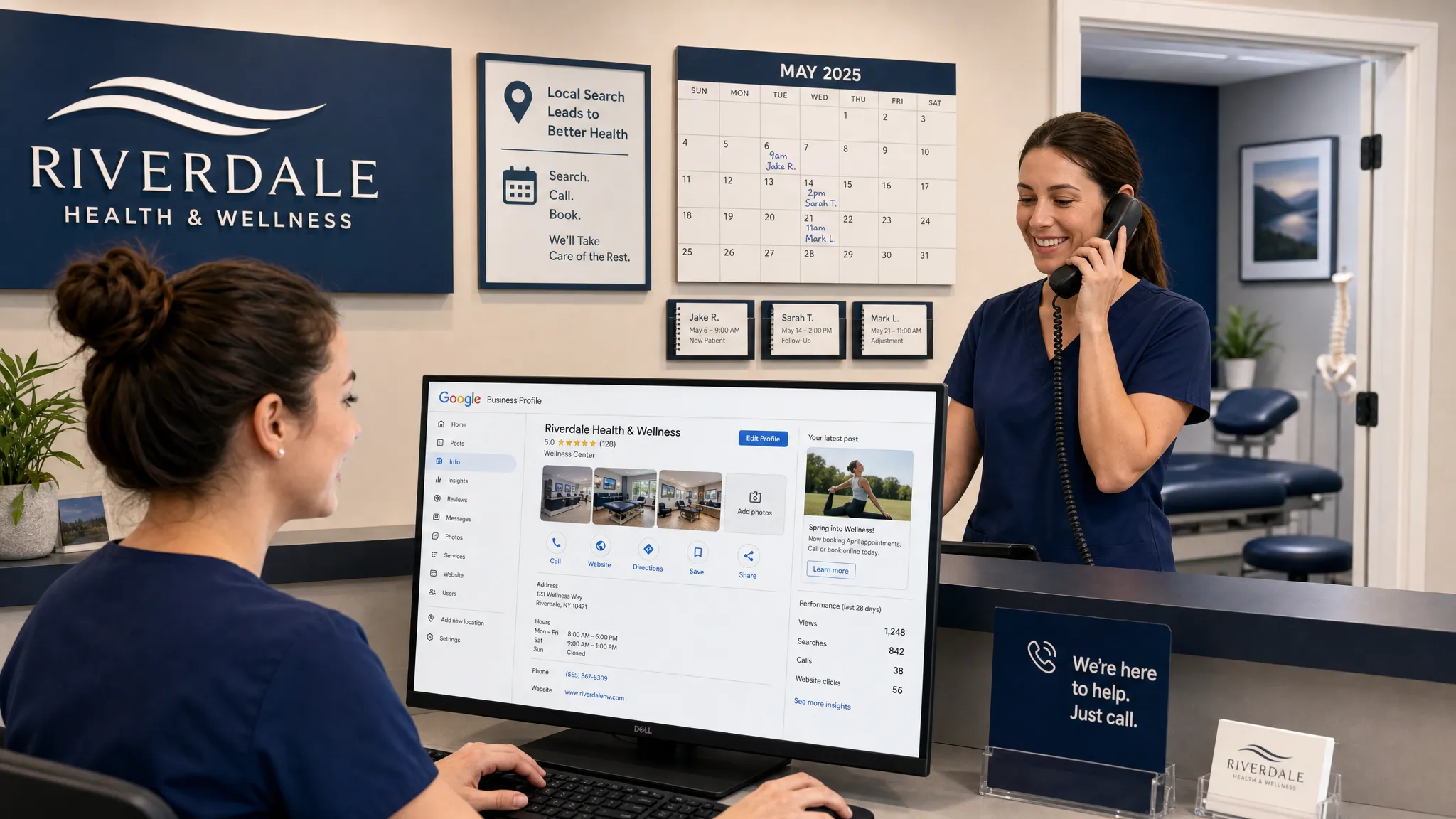
A Google business listing can be one of the highest-intent patient acquisition assets your practice owns. When someone searches “dentist near me,” “orthodontist open now,” “optometrist Louisville,” or “chiropractor for back pain,” they are often ready to call, request directions, or book.
But visibility alone is not the goal. A profile that gets impressions but no calls is like a front desk phone that never rings. The real objective is to help the right local patients quickly understand who you help, why they can trust you, and what to do next.
What many practice owners call a Google business listing is now managed through Google Business Profile. If you still need to set yours up or claim it, start with a step-by-step guide to create a Google Business Profile for your practice. If your profile already exists, the tips below will help turn it into a stronger source of calls, direction requests, and in-person visits.
Why your Google business listing matters for patient growth
For local healthcare searches, Google Business Profile often appears before traditional organic website results. Patients can call, get directions, read reviews, compare photos, check hours, and visit your website without ever scrolling far down the page.
That makes your listing both a visibility asset and a conversion asset. Google explains that local rankings are influenced primarily by relevance, distance, and prominence, according to its guidance on improving local ranking on Google. You cannot control where a patient is searching from, but you can improve how clearly your listing matches their need and how trustworthy your practice appears.
For healthcare practices, a strong listing should answer three patient questions fast:
- Can this practice help with my specific problem?
- Does this practice look credible, nearby, and active?
- Can I easily call, book, or get directions right now?
The best Google Business listing tips are not about gaming the algorithm. They are about removing uncertainty for patients at the exact moment they are choosing a provider.
1. Choose the right primary category first
Your primary category is one of the most important relevance signals on your profile. It tells Google what your practice is mainly about, and it tells patients whether they have found the right type of provider.
A general dental practice should not use a vague category if “Dentist” is available. An orthodontic office should strongly consider “Orthodontist” as the primary category. A chiropractic office should not dilute its relevance with unrelated wellness terms. Multi-specialty practices may need a more careful structure, especially if different providers, services, or locations have distinct patient intents.
Secondary categories can help, but they should support the real services you provide. Avoid adding categories simply because they have search volume. A mismatched category can attract unqualified clicks and weaken trust when patients land on your profile.
| Practice type | Common primary category direction | Service detail to reinforce |
|---|---|---|
| General dentistry | Dentist | Cleanings, exams, fillings, crowns, emergency dental care |
| Orthodontics | Orthodontist | Braces, clear aligners, retainers, pediatric orthodontics |
| Optometry | Optometrist | Eye exams, contact lenses, dry eye care, eyewear |
| Chiropractic | Chiropractor | Back pain, neck pain, auto injury care, sports injury care |
| Physical therapy | Physical therapist | Post-surgical rehab, sports rehab, balance therapy, mobility |
| Pain management | Pain management physician | Chronic pain, spine pain, joint pain, interventional procedures |
Google categories change over time, so review available options inside your profile rather than relying on an old checklist. Your goal is to match the category to the way patients search and the way your practice is licensed and positioned.
2. Keep your practice name clean and consistent
Do not stuff keywords into your business name unless they are part of your real-world practice name. For example, adding “Best Emergency Dentist Louisville Implants Invisalign” to a profile name may look tempting, but it can violate Google guidelines and make the practice look less credible.
Use the same practice name across your website, signage, major directories, insurance profiles, and social platforms. Consistency helps both Google and patients connect the dots.
For healthcare groups with multiple locations, each location should have accurate name, address, and phone details. If suite numbers, building entrances, or campus names matter for patients, make those details clear throughout your local presence.
3. Make calling and booking effortless
A patient should not have to work to contact you. Check your phone number, appointment URL, website URL, and hours from a mobile device. Then ask a simple question: could a first-time patient book or call in under 10 seconds?
Your phone number should connect to the right front desk or call center. If you use call tracking, configure it carefully so your core name, address, and phone consistency is not damaged across the web. Many practices use a tracking number on the Google profile while keeping the main practice number as an additional number, but setup should be handled thoughtfully.
Your appointment link should not send patients to a confusing homepage if a better scheduling or request page exists. For high-intent searches, a clear conversion page usually performs better than a general page with too many distractions.
For practices that use online scheduling, make sure the page is mobile-friendly and fast. For practices that rely on phone calls, make sure the click-to-call experience is obvious and that staff are trained to ask how the caller found the practice.
4. Use hours, holiday hours, and service availability to reduce hesitation
Patients often choose the provider that looks available and easy to visit. That is especially true for urgent dental issues, eye discomfort, back pain, post-injury care, and patients trying to fit appointments around work or school.
Keep regular hours current. Add holiday hours before major closures. If your office closes for lunch or has different hours by department, make sure patients are not surprised when they call or arrive.
If relevant, use your profile content to clarify availability for common high-intent needs, such as same-day appointments, emergency dental visits, new patient exams, contact lens fittings, dry eye evaluations, chiropractic consultations, or physical therapy assessments. Only state what your practice can actually support.
This is not just a ranking issue. Wrong hours create frustration, bad calls, poor reviews, and lost trust.
5. Add service details written in patient language
The services section of your Google business listing helps connect your profile to specific patient searches. It also helps patients self-select before they call.
Use everyday terms where appropriate. Patients may search for “tooth pain” more often than “endodontic evaluation,” or “back pain chiropractor” more often than a technical diagnosis. You can still maintain clinical accuracy, but the wording should be understandable.
For each major service, write a short, clear description that explains who it helps and what the patient can do next. Avoid exaggerated claims, guaranteed outcomes, or language that could create compliance concerns.
A cosmetic dentist might include teeth whitening, veneers, bonding, and smile consultations. An optometry practice might include comprehensive eye exams, pediatric eye exams, contact lens exams, dry eye treatment, and diabetic eye exams. A physical therapy clinic might include post-operative rehab, sports injury therapy, balance training, and chronic pain therapy.
6. Use photos to build trust before the patient calls
Photos are often underestimated. Patients use them to answer practical and emotional questions: Is this a real practice? Is it clean? Can I find the entrance? Does it feel welcoming? Will I know where to park?
Strong photo categories include exterior signage, the front entrance, reception area, treatment rooms, exam rooms, team photos, parking areas, and accessible entrances. For healthcare practices, real photos usually outperform generic stock images because they reduce uncertainty.
Be careful with patient privacy. Do not post patient photos, testimonials with identifying details, or clinical before-and-after images unless you have appropriate written consent and the content complies with applicable regulations and platform policies. When replying to reviews or posting updates, avoid confirming protected health information.

7. Build a review system, not a review scramble
Reviews influence both trust and local visibility. A profile with recent, specific, authentic reviews is far more likely to convert searchers than one with a thin or outdated review history.
The key is consistency. Ask patients at the right moment, make the process simple, and train your team to do it without pressure. Do not offer incentives for reviews, do not ask only happy patients while filtering out others, and do not write reviews on behalf of patients. Google’s contribution policies are designed to keep reviews authentic, and healthcare practices also need to be mindful of privacy.
A simple review request can sound like this: “If you felt well cared for today, would you be willing to share your experience on Google? It helps other local patients find our practice.”
When replying to reviews, be warm but general. For example: “Thank you for the kind feedback. Our team appreciates you taking the time to share your experience.” Avoid saying anything like, “We’re glad your root canal went well,” because that may disclose care details.
If you want a deeper process, Louisville Web Lab has a practical guide on how to get more Google reviews in Louisville that can be adapted for healthcare teams.
8. Treat Google Posts like patient education, not random announcements
Google Posts can support your listing by showing activity and highlighting useful information. They are not a replacement for SEO or ads, but they can help patients understand what is timely, important, or available.
Good post topics for healthcare practices include seasonal reminders, new patient availability, service spotlights, insurance deadline reminders, back-to-school eye exam reminders, sports physical therapy tips, dental emergency guidance, or educational posts about symptoms that should not be ignored.
Keep posts concise and action-oriented. Instead of writing “We offer chiropractic care,” write something more specific, such as “Dealing with recurring neck or back pain after long workdays? Our team can evaluate movement patterns and discuss care options.”
Use compliant language. Avoid fear-based claims, unrealistic promises, or anything that implies guaranteed results.
9. Add and monitor Q&A before someone else answers for you
The Q&A section on a Google Business Profile can influence calls and visits because it answers common objections right on the listing. The problem is that anyone can ask a question, and in some cases, the public can answer.
Your practice should seed and answer common questions directly from the profile owner account. Keep answers factual and brief. Good questions might include:
- Do you accept new patients?
- Where should patients park?
- Do you offer same-day appointments?
- Do you see children?
- Do you accept emergency dental visits?
- Do you provide contact lens exams?
- What should I bring to my first appointment?
Do not include private patient information or case-specific medical advice. The purpose is to remove friction, not replace a consultation.
Q&A also supports voice-style and conversational searches. Patients increasingly ask full questions, especially on mobile devices, such as “Who is open now for tooth pain near me?” or “Where can I get an eye exam this week?” Clear answers across your profile and website help reinforce relevance.
10. Connect your listing to a website that converts
Your Google business listing can create the click, but your website often closes the gap. If the profile sends patients to a slow, outdated, confusing, or generic page, you may lose the appointment.
The landing page connected to your profile should make the next step obvious. It should include your phone number, appointment request option, location details, provider or practice credibility, reviews or testimonials where compliant, key services, and clear directions.
For multi-location practices, send users to the most relevant location page rather than a general homepage. For specialty services, consider connecting posts or service links to focused pages that match the patient’s intent.
As practices grow, marketing performance increasingly depends on connected systems. Scheduling, forms, CRM tools, call tracking, reporting, and follow-up workflows all need to work together.
11. Track calls, direction requests, and booked appointments
Do not judge your Google business listing only by views. A profile can get plenty of visibility without producing meaningful growth. The better question is how many qualified calls, direction requests, appointment requests, and booked patients it generates.
Google Business Profile performance data can show interactions such as calls, website clicks, messages, bookings, and direction requests. Add UTM tracking to website links so you can see profile traffic in analytics. If you use call tracking, review call quality, missed calls, call duration, and appointment outcomes.
Your front desk team is also part of the measurement system. Ask new patients how they found you, and make the answer easy to record. Over time, you should know which locations, services, and search patterns produce real appointments.
| Metric | What it tells you | What to improve if it is weak |
|---|---|---|
| Calls from profile | Searchers are ready to contact you | Phone visibility, reviews, hours, call handling |
| Direction requests | Patients intend to visit | Location clarity, parking info, photos, local prominence |
| Website clicks | Patients need more information | Landing page relevance, speed, calls to action |
| Appointment requests | Listing traffic is converting | Scheduling flow, form simplicity, follow-up speed |
| Missed calls | Demand is being wasted | Staffing, call routing, after-hours process |
| Review growth | Trust is increasing over time | Review request process, patient experience, reply cadence |
If your practice is in a competitive city or specialty, tracking matters even more. For a deeper local visibility framework, see Louisville Web Lab’s guide on how to rank in the Louisville Map Pack.
Common mistakes that cost practices calls and visits
Small profile issues can quietly reduce patient volume. Many practices have a listing, but it is incomplete, outdated, or misaligned with how patients search.
Common mistakes include using the wrong primary category, stuffing keywords into the business name, ignoring reviews, using old photos, sending all traffic to the homepage, leaving holiday hours blank, having duplicate listings, failing to monitor Q&A, and not tracking whether calls turn into appointments.
Another common issue is treating the profile as a one-time setup task. In reality, your Google business listing should be maintained like a living local marketing asset. Update it when services change, providers change, photos become outdated, hours shift, or your practice expands.
A simple 30-day improvement plan
You do not need to fix everything in one day. Use a focused 30-day sprint to improve the parts most likely to increase calls and visits.
| Timeline | Focus | Action |
|---|---|---|
| Week 1 | Accuracy | Confirm name, address, phone, hours, categories, website, appointment link, and location details |
| Week 2 | Trust | Add current photos, update service descriptions, and answer top Q&A questions |
| Week 3 | Reviews | Train the team on a compliant review request process and start asking consistently |
| Week 4 | Conversion tracking | Add UTM links, review call data, check missed calls, and compare profile actions to booked appointments |
After 30 days, review what changed. Did calls increase? Did direction requests improve? Did more patients mention Google? Did reviews grow? Use that information to prioritize the next round of updates.
Frequently Asked Questions
Is a Google business listing the same as a Google Business Profile? Most people use “Google business listing” to describe the public listing that appears on Google Search and Maps. The official management tool is called Google Business Profile.
How often should a healthcare practice update its Google Business Profile? Review core details monthly and update photos, posts, hours, and services whenever something changes. Holiday hours should be added before major closures.
Can healthcare practices ask patients for Google reviews? Yes, but the request should be ethical, consistent, and compliant. Do not offer incentives, do not pressure patients, and do not selectively ask only for positive reviews. Replies should avoid protected health information.
Why does my listing get views but not calls? The profile may be visible but not persuasive. Common causes include weak reviews, unclear categories, outdated photos, missing appointment links, poor hours, a confusing website, or front desk call handling issues.
Should I use a tracking number on my Google business listing? Call tracking can be useful, but it should be configured carefully to protect local data consistency. Many practices keep their main number as an additional number while using tracking to measure call performance.
Turn local searches into scheduled patients
Your Google business listing should do more than appear in search results. It should help nearby patients choose your practice, call with confidence, request directions, and book the right appointment.
Louisville Web Lab helps healthcare practices improve local SEO, Google Business Profile performance, websites, ads, reviews, and patient acquisition systems. If your listing is getting visibility but not enough calls or visits, book a diagnostic call with Louisville Web Lab and get a clearer plan for turning local search into measurable practice growth.