
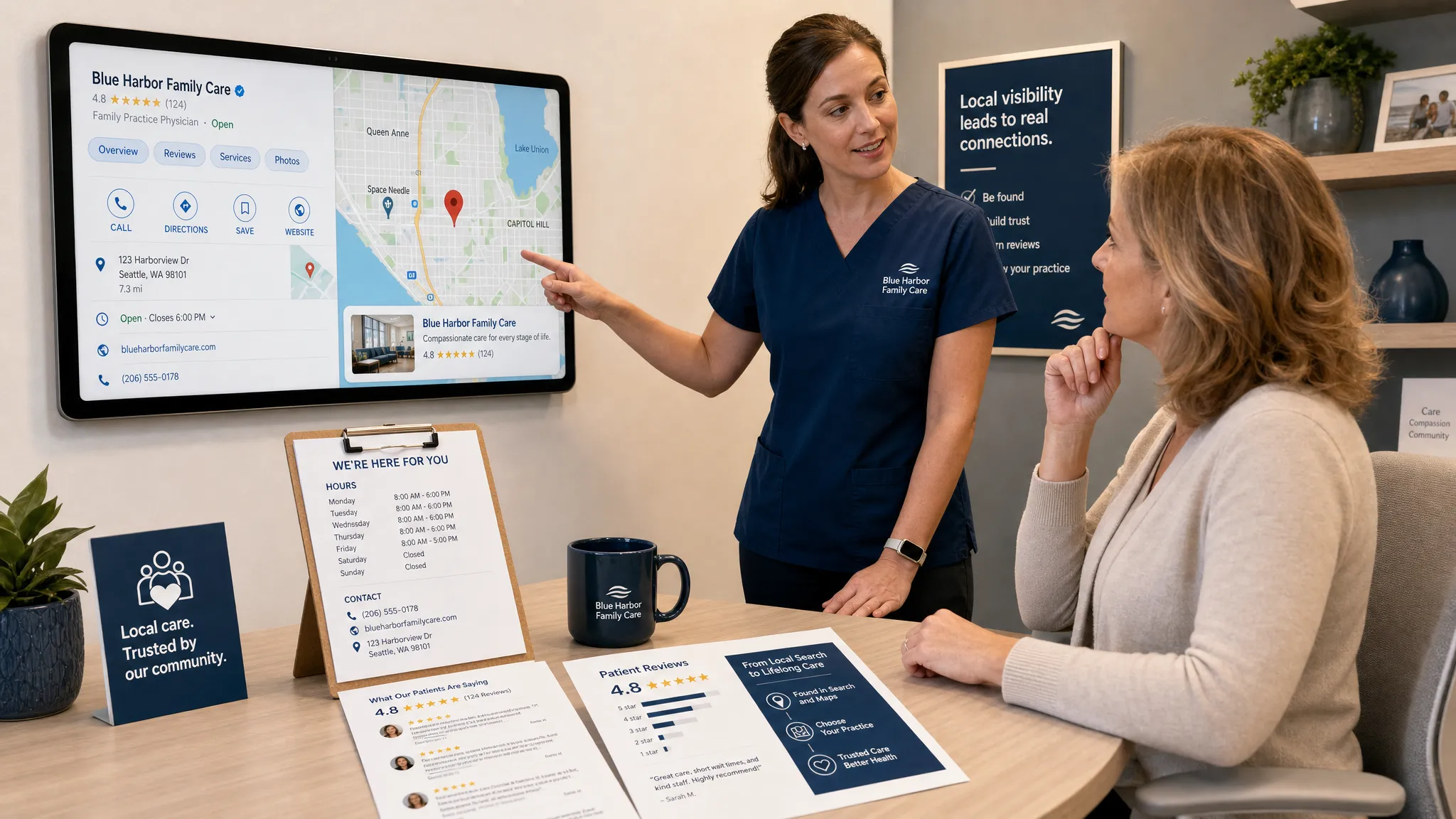
If you’re typing “google listing for my business” because you want more patients to find your practice, the tool you are looking for is Google Business Profile. It is the profile that can show your practice in Google Search and Google Maps with your name, phone number, hours, reviews, photos, services, directions, and appointment options.
For healthcare owners, this is not just a digital directory listing. It is often the first place a patient decides whether to call, request an appointment, or keep scrolling to another dentist, optometrist, chiropractor, physical therapist, or specialist nearby.
The goal is not simply to “be on Google.” The goal is to make your listing accurate, trusted, compliant, and built to convert local searches into booked visits.
Why your Google listing matters more in healthcare
Local healthcare searches usually have high intent. Someone searching for an emergency dentist, pediatric orthodontist, dry eye clinic, chiropractor near me, pain management doctor, or physical therapy after surgery is not casually browsing. They are comparing options, checking proximity, reading reviews, and looking for the easiest next step.
A strong Google Business Profile can influence three moments that matter:
- Discovery: Your practice appears when patients search by condition, specialty, service, or location.
- Trust: Reviews, photos, categories, and accurate details help patients feel confident before they call.
- Action: Phone numbers, appointment links, directions, and website links reduce friction.
Healthcare owners also face more risk than many local businesses. Inaccurate hours can send patients to a closed clinic. Unmanaged reviews can create privacy issues. Overly aggressive service descriptions can raise compliance concerns. Duplicate listings can split visibility between locations or providers.
That is why your Google listing should be treated as part of your patient acquisition system, not as a one-time setup task.
What a Google listing for your business actually includes
Google My Business is now called Google Business Profile. The name changed, but many owners and staff still use the older term. Your profile is the business listing Google displays across Search and Maps.
At a minimum, your practice needs:
- A claimed and verified profile under the correct owner account
- Accurate name, address, and phone information
- The right primary category and relevant secondary categories
- Up-to-date hours, including holidays and special closures
- A website link and appointment link if available
- Services that match how patients search
- Photos that make the practice feel real and accessible
- A review acquisition and response process
If you have not created or claimed your profile yet, start with a proper setup process. Louisville Web Lab has a separate walkthrough on how to create a Google Business Profile for your practice if you need the step-by-step foundation before optimizing.
The essentials healthcare owners should get right first
Before chasing advanced tactics, make sure the core information is clean. Google and patients both rely on these signals to understand who you are, what you do, and whether you are a good match for the search.
| Profile element | Why it matters | Healthcare-specific guidance |
|---|---|---|
| Practice name | Builds trust and consistency | Use your real-world practice name as shown on signage and patient materials. Avoid adding extra keywords that are not part of the official name. |
| Primary category | Helps Google understand relevance | Choose the closest category to your main specialty, such as dental, orthodontic, optometry, chiropractic, physical therapy, or medical specialty. |
| Address | Supports Maps visibility | Use the location where patients are actually seen. Multi-location groups should maintain a unique profile for each staffed location. |
| Phone number | Drives calls | Use a number answered by the right team. If using call tracking, keep your core local number consistent across the web. |
| Hours | Prevents patient frustration | Update regular hours, holiday hours, and temporary closures as soon as they change. |
| Website link | Moves patients toward conversion | Send visitors to a fast, helpful page that makes it easy to request an appointment. |
| Services | Expands relevance | Add patient-friendly service names, not only clinical terminology. For example, include teeth whitening along with cosmetic dentistry if appropriate. |
| Reviews | Builds prominence and confidence | Ask consistently, respond carefully, and never disclose protected health information in replies. |
These details seem basic, but they are where many practices lose visibility and trust. A patient who sees conflicting hours, a wrong phone number, or outdated photos may not give you a second chance.
Healthcare-specific decisions that affect visibility
A Google listing for a healthcare practice has nuances that a restaurant, gym, or retail store does not. Owners should pay special attention to categories, provider listings, locations, and service language.
Choose categories based on patient intent
Your primary category is one of the strongest relevance signals in the profile. A pediatric dentist, orthodontist, optometrist, chiropractor, physical therapist, pain management clinic, or oral surgeon should choose the category that best represents the core service patients are seeking.
Secondary categories can help when your practice legitimately offers multiple services. For example, a dental practice that provides cosmetic dentistry and implants may need to represent those services, but the profile should still reflect what the location is primarily known for.
Avoid category stuffing. More categories do not automatically mean more visibility. The wrong categories can confuse Google and attract unqualified calls.
Handle practitioner listings carefully
Some healthcare providers may be eligible for separate practitioner listings, especially when individual doctors, dentists, chiropractors, or specialists are public-facing and patients search for them by name. This can be helpful, but it can also create confusion if provider profiles compete with the main practice profile.
A solo practice may only need one strong practice listing and one provider listing, depending on the situation. A multi-provider clinic may need a clear structure so reviews, phone calls, and search visibility do not become fragmented.
Give each location its own clean profile
If your practice has multiple offices, each location should typically have its own Google Business Profile with the correct address, phone number, hours, photos, and service details. Do not use one listing to represent several separate offices.
Patients searching in one neighborhood, suburb, or city need to see the location that is closest and most relevant to them. This matters for practices competing in dense healthcare markets where proximity and local relevance affect visibility.
Write services in the language patients use
Patients often search by symptoms, goals, or common service names. A technically correct service list may still fail if it does not match patient language.
For example, an optometry clinic may need to mention eye exams, contact lenses, dry eye treatment, and pediatric eye care if those services are offered. A pain practice may need to describe back pain, neck pain, joint pain, or interventional pain care in clear, compliant language.
Keep service descriptions factual. Avoid guarantees, exaggerated claims, or wording that could be interpreted as misleading.
Turning profile views into patient calls and appointments
Visibility is only the first step. A profile that gets impressions but does not generate calls is not doing its job.
To improve conversion, focus on the patient’s next action. Make sure the phone number is easy to call from mobile, the appointment link goes to a useful scheduling or request page, and the website link does not drop visitors on a generic homepage with no clear path forward.
Photos also affect conversion. Patients want to know what the building looks like, what the reception area feels like, and whether the practice seems professional and welcoming. Exterior photos help with wayfinding. Interior photos reduce uncertainty. Team photos can build familiarity, but only use patient images or testimonials when you have the proper written permissions and compliance review.
If you want a deeper optimization checklist after the basics are in place, review these Google Business listing tips for more calls and visits.
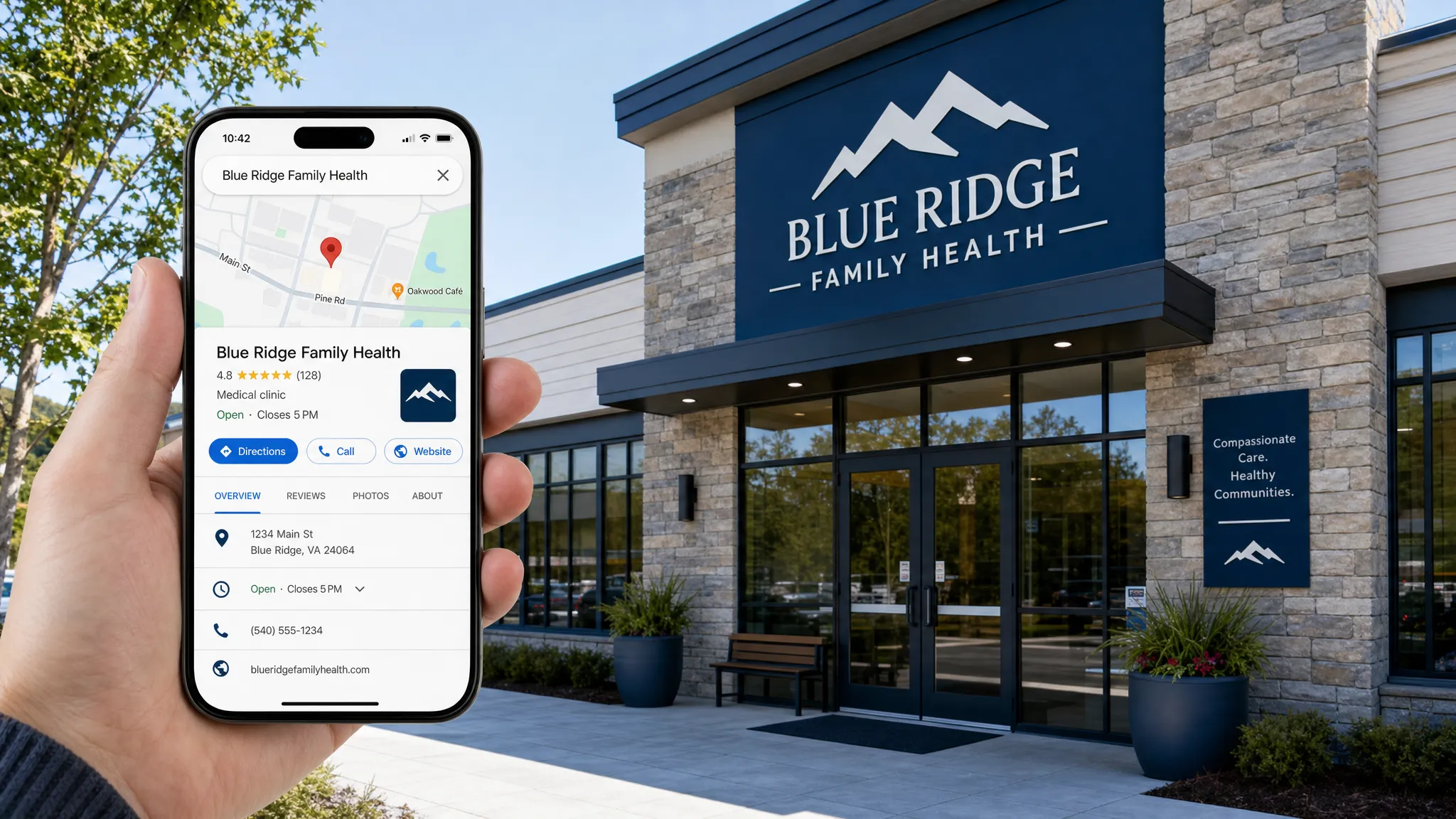
Reviews are a growth asset, but they need guardrails
Reviews are one of the most visible trust signals on your Google listing. They can influence both patient confidence and local prominence. For healthcare practices, however, reviews must be handled with more care than in most industries.
The safest approach is to build a consistent review request process that asks patients for honest feedback without pressuring them, filtering them, or offering improper incentives. Your team should ask at the right moment, make the process simple, and avoid scripting what the patient should say.
Review responses should be warm but privacy-conscious. Never confirm that someone is a patient. Never discuss diagnosis, treatment, appointment details, insurance, billing, or outcomes in a public reply.
A safe response might sound like this:
“Thank you for sharing your feedback. Our team appreciates the opportunity to serve our community and is glad to hear about your experience.”
If a review is negative, do not argue publicly. A better response is:
“Thank you for your feedback. We take concerns seriously and would welcome the opportunity to discuss this directly. Please contact our office so our team can help.”
Compliance is not something to improvise, especially for multi-location groups or practices with several team members responding to reviews, updating listings, and publishing content.
Common Google listing mistakes healthcare owners should avoid
Most underperforming profiles are not failing because of one big issue. They usually suffer from several small problems that compound over time.
Watch for these mistakes:
- Keyword stuffing the practice name: Adding phrases like best dentist near me or emergency chiropractor to the business name can violate Google’s guidelines if they are not part of your real-world name.
- Ignoring duplicate listings: Old profiles, practitioner listings, and former addresses can confuse Google and patients.
- Using outdated hours: Incorrect hours damage trust quickly, especially for urgent care, dental emergencies, pain care, and vision appointments.
- Sending website clicks to weak pages: A slow or confusing website can waste the traffic your profile earns.
- Neglecting photos: Empty or outdated photo sections make the practice feel less active.
- Responding to reviews too casually: Even friendly replies can create privacy issues if they imply a patient relationship.
- Treating the profile as set-and-forget: Google listings need ongoing maintenance, not annual attention.
The fix is to assign ownership. Someone should be responsible for checking the profile, monitoring reviews, updating hours, and escalating issues.
A practical maintenance cadence for your practice
A healthy Google listing does not require constant tinkering, but it does need routine attention. Use a simple cadence your team can actually follow.
| Frequency | What to review | Why it matters |
|---|---|---|
| Weekly | New reviews, questions, calls, and obvious listing changes | Keeps patient communication timely and prevents small issues from lingering. |
| Monthly | Photos, services, appointment links, website links, and top search queries | Helps keep the profile fresh and aligned with patient demand. |
| Quarterly | Categories, competitor visibility, provider listings, and duplicate profiles | Protects long-term local SEO performance. |
| As needed | Holiday hours, new providers, new services, relocations, and phone changes | Prevents inaccurate information from spreading across Google and other directories. |
This cadence also helps you spot patterns. If calls are increasing but appointments are not, the issue may be phone handling or follow-up. If profile views are strong but website clicks are weak, the profile may not be compelling enough. If website clicks are high but forms are low, the landing page may need work.
Your Google listing works best as part of a larger patient acquisition system
A Google Business Profile is powerful, but it should not operate alone. The profile, website, service pages, reviews, local SEO, Google Ads, and follow-up process all need to support the same outcome: more qualified patient appointments.
For example, a cosmetic dentist may need separate website pages for veneers, whitening, and implants. An orthopedic or pain practice may need clear pages for specific conditions and treatments. An optometry clinic may need pages for dry eye, contact lenses, medical eye exams, and pediatric care.
Your Google listing can create the first interaction, but your website and team often determine whether that interaction becomes a booked appointment. That is why healthcare marketing should connect visibility with conversion, tracking, and follow-up.
How to know whether your profile is working
Do not judge your listing only by how it looks. Judge it by whether it creates measurable patient opportunities.
Track these signals over time:
- Calls from the profile
- Direction requests
- Website visits from the profile
- Appointment form submissions
- Review volume and rating trends
- Search terms that trigger the profile
- Visibility for priority services and locations
- Call quality and booked appointment rate
The most important metric is not impressions. It is booked appointments from qualified local patients. A profile that gets fewer views but produces better calls may be more valuable than one with broad visibility and weak intent.
Frequently Asked Questions
Is a Google listing for my business free? Yes. Google Business Profile is free to create and manage. Costs may come from professional optimization, photography, call tracking, website improvements, local SEO, or Google Ads, but the profile itself is free.
Do healthcare practices still need a website if they have a Google listing? Yes. Your Google listing helps patients discover and evaluate you, but your website gives them deeper information, stronger conversion paths, service pages, forms, and credibility beyond the profile.
How long does it take for a healthcare Google listing to show results? Some practices may see activity soon after verification and optimization, but local rankings depend on competition, proximity, category relevance, reviews, website strength, and overall prominence. Competitive markets usually require ongoing work.
Should every doctor or provider have a separate Google listing? Not always. Practitioner listings can be useful when providers are public-facing and searched by name, but they should be managed carefully so they do not compete with the main practice profile or confuse patients.
Can I ask patients to mention services in reviews? You can ask for honest feedback, but avoid scripting reviews or pressuring patients to use specific keywords. Review requests should be ethical, compliant, and consistent.
Make your Google listing a real growth channel
Your Google listing can be one of the most valuable digital assets your practice owns, but only if it is accurate, optimized, compliant, and connected to a clear appointment strategy.
Louisville Web Lab helps healthcare practices turn local search visibility into measurable patient growth through local SEO, Google Ads, websites, automation, and patient acquisition systems. If your profile is live but not producing the calls and appointments you need, book a diagnostic call with Louisville Web Lab and find out where the gaps are.