
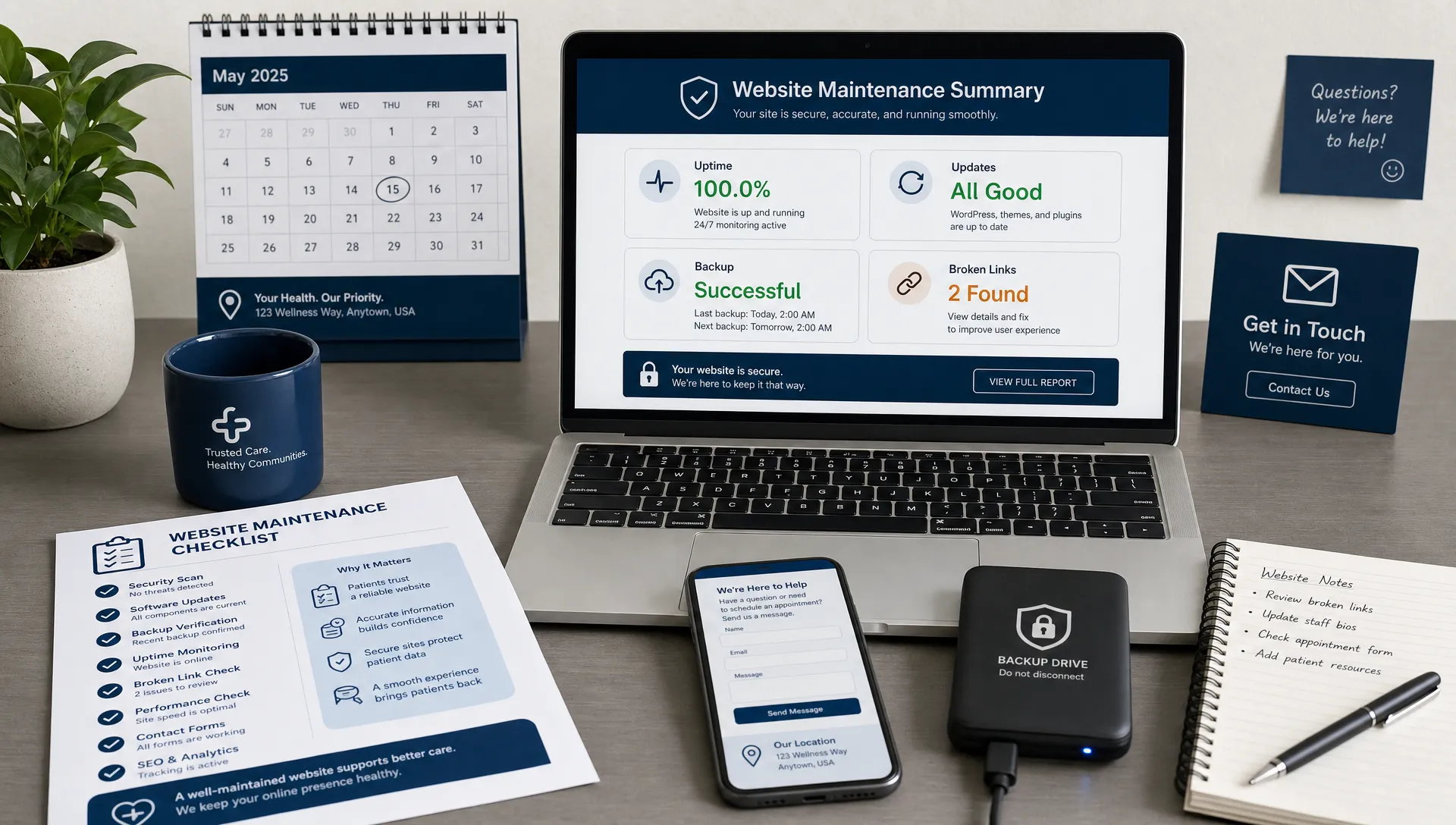
A healthcare website is not something you launch once and forget. For a dental, optometry, chiropractic, pain management, physical therapy, or specialty practice, the website is often the first place a patient checks before calling, scheduling, or asking for a referral. If forms stop working, office hours are wrong, pages load slowly, or service information is outdated, those issues can quietly turn into lost appointments.
That is why website maintenance should be treated like a recurring business system, not an occasional technical chore. The goal is simple: keep the site secure, accurate, fast, search-friendly, and easy for patients to use.
This checklist gives healthcare practices a practical maintenance rhythm. It is designed for practice owners, office managers, marketing coordinators, and operations teams who need to know what to review, how often to review it, and when to bring in expert help.
The healthcare website maintenance rhythm
Not every task needs to happen every week. A smart website maintenance plan separates urgent checks from deeper audits so your team can stay consistent without feeling overwhelmed.
| Frequency | What to check | Why it matters |
|---|---|---|
| Weekly | Forms, calls, online scheduling, uptime, backups | Protects patient inquiries and prevents obvious appointment leaks |
| Monthly | Software updates, speed, broken links, SEO basics, content accuracy | Keeps the site healthy and prevents small problems from compounding |
| Quarterly | Privacy review, accessibility, conversion paths, analytics, local SEO | Improves patient experience and marketing performance |
| Annually | Hosting, design, content strategy, security policies, disaster recovery | Aligns the website with practice growth and changing patient expectations |
If you already have a partner handling the technical side, this checklist can help you understand what should be included. If you are still deciding what support your practice needs, Louisville Web Lab has a deeper guide on website maintenance services every healthcare practice should have.
Weekly checklist: protect patient inquiries
Weekly website maintenance should focus on the parts of the site that directly affect booked appointments. A beautiful website still fails if the form does not submit, the phone number is not clickable, or the scheduling link sends patients to the wrong place.
Start with the highest-intent actions. Test your appointment request form from a desktop and a phone. Confirm that the submission reaches the right inbox, CRM, or scheduling workflow. If your practice uses separate forms for new patients, referrals, consultations, or contact requests, test each one.
Next, check your click-to-call links. On mobile, tap the phone number in the header, footer, and key service pages. Make sure the correct number appears, especially if you have multiple locations, call tracking numbers, or dedicated lines for services such as dental implants, LASIK consultations, pain procedures, or physical therapy evaluations.
Review online scheduling links as well. If your scheduling software changes, a provider leaves, or an appointment type is renamed, patients may encounter dead ends. That creates friction at the exact moment they are ready to act.
Your weekly checklist should include:
- Test every lead form and appointment request form.
- Tap phone numbers on mobile to confirm click-to-call works.
- Check online scheduling links and referral form links.
- Confirm the website loads and key pages are not showing errors.
- Verify the latest backup completed successfully.
- Review recent spam submissions or suspicious form activity.
This does not need to take long. A 15-minute weekly check can catch the kind of issue that might otherwise cost days of missed inquiries.
Security and privacy checklist
Healthcare websites face a higher trust standard than many other local business websites. Patients may share sensitive information, even when you ask them not to. Your website maintenance process should reduce risk by keeping software updated, access limited, forms reviewed, and tracking tools monitored.
If your website collects, stores, or transmits protected health information, HIPAA obligations may apply. The HHS HIPAA Security Rule outlines administrative, physical, and technical safeguards for electronic protected health information. Your website vendor, hosting provider, form provider, CRM, and scheduling tools may all need to be evaluated through that lens. This article is not legal advice, so involve qualified compliance counsel when needed.
For routine maintenance, focus on the basics that prevent common failures. Keep your CMS, plugins, themes, and integrations updated. Remove old admin accounts for former employees, contractors, or agencies. Require strong passwords and multi-factor authentication wherever possible. Review who has access to website forms, analytics, hosting, domain settings, and call tracking platforms.
Pay special attention to forms. A basic contact form that asks for name, phone number, and preferred appointment time is different from a form that asks for symptoms, insurance details, medical history, or uploaded documents. Practices should regularly review whether forms collect more information than necessary and whether the tools behind those forms are appropriate for healthcare use.
Key security and privacy checks include:
- Update CMS software, plugins, themes, and integrations.
- Remove unused user accounts and reduce admin permissions.
- Confirm SSL is active and all pages load over HTTPS.
- Scan for malware, suspicious redirects, and injected spam pages.
- Review form fields for unnecessary health information.
- Confirm privacy policy language reflects current tools and workflows.
- Review analytics, chat, pixels, and advertising tags placed on health-related pages.
Security is not just an IT issue. It is a patient trust issue.
Speed, mobile, and usability checklist
Most patients will interact with your website on a phone. They may be sitting in a parking lot, comparing providers during lunch, or trying to schedule quickly after a referral. If the site is slow or hard to navigate on mobile, they may leave before they ever learn why your practice is the right fit.
Google’s Core Web Vitals documentation explains how loading performance, interactivity, and visual stability can affect the user experience. For healthcare practices, the practical takeaway is straightforward: pages should load quickly, buttons should be easy to tap, and the page should not shift while someone is trying to click.
Review your homepage, main service pages, provider pages, location pages, and appointment page on a real mobile device. Do not rely only on a desktop preview. Look for small text, crowded navigation, pop-ups that block important content, slow image loading, or forms that feel difficult to complete.
If mobile usability is a recurring problem, it may be worth reviewing broader responsive web design tips that help practices book more patients, because some issues require more than a quick maintenance fix.

Monthly speed and usability checks should include:
- Test important pages on mobile, tablet, and desktop.
- Compress oversized images before uploading them.
- Remove unused scripts, widgets, and plugins when possible.
- Check that call and booking buttons are visible near the top of mobile pages.
- Make sure pop-ups do not block appointment actions.
- Review whether service pages answer patient questions clearly.
Speed is not only about rankings. It affects patient confidence. A slow site can make a practice feel less modern, less organized, and less trustworthy.
Content accuracy checklist
Healthcare websites often become inaccurate slowly. A provider changes days, an insurance plan is removed, a new location opens, a treatment page still mentions outdated technology, or office hours are updated on Google but not on the website.
These small inconsistencies create confusion for patients and front desk teams. They can also weaken local SEO if search engines see conflicting business information across your website, Google Business Profile, directories, and other online listings.
Every month, review your highest-traffic and highest-value pages for accuracy. For many practices, that includes the homepage, appointment page, insurance page, about page, provider bios, service pages, location pages, and financing information.
| Website element | Maintenance question | Common risk |
|---|---|---|
| Office hours | Are hours current for every location? | Patients call or arrive at the wrong time |
| Provider bios | Are credentials, photos, and services accurate? | Trust signals become outdated |
| Insurance information | Are accepted plans and payment options current? | Front desk receives avoidable questions |
| Service pages | Are procedures, technology, and expectations up to date? | Patients get inaccurate information |
| Location pages | Are addresses, maps, and parking details correct? | Local SEO and patient experience suffer |
| Calls to action | Do buttons match current scheduling workflows? | Patients hit dead ends before booking |
For medical or clinical content, review accuracy with the appropriate provider. Avoid making claims that overpromise outcomes. If you use before-and-after images, testimonials, or case examples, make sure they follow applicable advertising rules and include appropriate context.
Content maintenance is also a trust-building opportunity. Fresh provider photos, updated team information, clear insurance guidance, and current service pages all help patients feel they are choosing an active, credible practice.
Local SEO and search visibility checklist
Website maintenance should support local search visibility. Patients often search for terms like “dentist near me,” “orthodontist in Louisville,” “dry eye clinic,” “chiropractor for back pain,” or “pain management doctor.” Your website helps search engines understand which services you provide, where you provide them, and why patients should trust you.
Begin by checking your name, address, and phone number across the website. If you have multiple locations, each location should have clear, consistent information. Your embedded map, driving directions, parking notes, and service area references should match what patients see in your Google Business Profile.
Review your service pages quarterly. Each important service should have a page that explains who it is for, what the patient can expect, why your practice is qualified, and how to take the next step. Thin pages that only contain a few vague sentences rarely perform well in competitive healthcare searches.
Technical SEO matters too. Check for broken links, missing page titles, duplicate meta descriptions, indexation issues, and old pages that should be redirected. If you removed a service, changed a URL, or rebuilt part of the site, make sure redirects are working so patients and search engines do not land on 404 errors.
Your SEO maintenance checklist should include:
- Confirm name, address, and phone consistency across the website.
- Review location pages for current directions, maps, and contact details.
- Check key service pages for depth, clarity, and patient intent.
- Fix broken internal links and outdated external links.
- Review title tags and meta descriptions for important pages.
- Submit updated sitemaps when major changes are made.
- Monitor Google Search Console for indexing and performance issues.
Good SEO maintenance does not mean constantly rewriting everything. It means keeping the site technically healthy and making steady improvements to the pages that matter most for patient acquisition.
Conversion checklist: turn visits into appointments
A website can rank well and still fail if patients do not know what to do next. Conversion maintenance focuses on the path from visitor to scheduled appointment.
Review the top of each important page. Within a few seconds, patients should understand what you offer, where you are located, who you help, and how to contact you. A general headline like “Welcome to Our Practice” is usually weaker than a clear statement about the service, location, or patient need.
Look at trust signals near decision points. Reviews, provider credentials, insurance information, financing options, professional memberships, technology explanations, and real practice photos can all reduce hesitation. Do not bury every proof point on the about page. Place helpful trust cues near appointment buttons and service explanations.
Then audit the forms themselves. Long forms can be appropriate for certain workflows, but many new-patient conversion paths benefit from simplicity. If your front desk can gather additional details later, do not force patients to complete a complicated form before they can request an appointment.
Quarterly conversion checks should ask:
- Is there a clear appointment action on every major page?
- Are phone numbers and scheduling buttons easy to find on mobile?
- Does each service page explain the next step?
- Are reviews, credentials, and patient trust signals visible near calls to action?
- Are forms short enough for the patient’s level of intent?
- Are thank-you pages or confirmation messages clear and reassuring?
- Are calls, forms, and bookings tracked accurately in analytics?
If your practice runs Google Ads, conversion maintenance becomes even more important. Paid traffic sent to a slow, unclear, or outdated landing page can waste budget quickly.
Accessibility checklist
Accessibility is part of good healthcare website maintenance because patients may have low vision, limited mobility, temporary injuries, cognitive challenges, or assistive technology needs. A site that is easier to use for people with disabilities is usually easier for everyone.
The Web Content Accessibility Guidelines are the primary global standard for digital accessibility. Healthcare practices do not need to become accessibility experts overnight, but routine checks can prevent many common problems.
Review whether text has enough contrast against the background. Make sure headings follow a logical structure. Add helpful alt text to meaningful images, especially provider photos and images that communicate important information. Confirm that forms have clear labels and error messages. Test whether visitors can use the main navigation and forms with a keyboard.
PDFs deserve special attention. Many healthcare websites upload intake forms, post-op instructions, referral forms, or patient education PDFs that are difficult for screen readers. If a PDF contains essential information, consider providing that information in an accessible web page format as well.
Accessibility maintenance is not a one-time checkbox. New pages, new images, new forms, and new documents should be reviewed before they go live.
Analytics and tracking checklist
You cannot improve what you do not measure. Website maintenance should include regular checks that analytics and conversion tracking still work.
This is especially important when someone updates a form, changes scheduling software, adds a new landing page, or modifies call tracking. Tracking often breaks quietly. You may still receive appointments, but your reports may no longer show which pages, campaigns, or searches helped generate them.
At least once a month, review whether analytics data looks normal. Sudden drops to zero, unexplained traffic spikes, missing conversions, or duplicate events can all signal a tracking issue. If your practice uses paid search, confirm that conversions are flowing correctly into the ad platform.
Track meaningful actions, not vanity metrics alone. Pageviews matter, but healthcare practices should pay closer attention to phone calls, appointment requests, scheduling clicks, referral form submissions, direction clicks, and high-value service page engagement.
Backup and recovery checklist
Backups are only useful if they are recent, complete, and restorable. Many practices assume their site is backed up, but never test whether a restore actually works.
Your backup plan should match how often your site changes. A site with frequent blog posts, form entries, patient resources, or landing page updates may need more frequent backups than a small static site. Backups should be stored securely, ideally separate from the main hosting environment.
| Backup item | What to confirm | Recommended review |
|---|---|---|
| Website files | Themes, uploads, images, scripts, and custom code are included | Monthly |
| Database | Pages, posts, settings, and form configurations are included | Monthly |
| Offsite storage | Backups are not only stored on the same server | Quarterly |
| Restore test | A backup can be restored without major errors | Quarterly or after major changes |
| Access list | The right people know how to contact hosting and support | Quarterly |
Also create a basic incident plan. If the site goes down, who is contacted first? Who has hosting access? Where are domain records managed? Who communicates with the practice team? A simple plan can reduce panic during a real outage.
A simple monthly maintenance workflow
A monthly website maintenance session does not need to become a full-day project. For many practices, a structured 60 to 90 minutes can cover the essentials.
Start with technical health. Check updates, backups, security alerts, broken links, and analytics. Then move to patient experience. Test calls, forms, scheduling links, mobile navigation, and key service pages. After that, review content accuracy, including hours, providers, services, insurance, and location details. Finish with a short performance review. Which pages generated calls or forms? Which pages are slipping in search? Which pages need improvement next month?
Document what you checked and what changed. A simple maintenance log helps your team spot recurring problems, coordinate with vendors, and understand whether the website is improving over time.
When your checklist reveals a bigger problem
Some issues are maintenance tasks. Others are signs that the website needs a larger strategic update.
If your site is slow because of bloated code, old hosting, or an outdated theme, monthly cleanup may not be enough. If service pages do not explain patient needs clearly, you may need better content strategy. If the mobile experience is frustrating, the solution may be design, not maintenance. If your forms and calls are difficult to track, your patient acquisition system may need to be rebuilt.
That is where healthcare-specific marketing experience matters. A general web vendor may keep the site online, but a healthcare marketing partner should understand how website performance connects to local SEO, paid ads, patient trust, compliance concerns, and booked appointments.
Frequently Asked Questions
How often should a healthcare practice perform website maintenance? Most practices should do basic checks weekly, technical and content reviews monthly, deeper SEO and accessibility audits quarterly, and a full strategic review annually.
What is the most important website maintenance task for a healthcare practice? The most urgent task is making sure patients can contact you. Test forms, phone links, online scheduling, and referral pathways regularly because these directly affect appointment volume.
Does website maintenance help with SEO? Yes. Website maintenance supports SEO by fixing broken links, improving speed, keeping location and service information accurate, updating important pages, and preventing technical issues that can hurt search visibility.
Should healthcare websites worry about HIPAA during maintenance? Yes, especially if the website collects, transmits, or stores patient information. Practices should review forms, vendors, tracking tools, and access permissions with HIPAA-aware processes and qualified compliance guidance.
Can my office manager handle website maintenance? An office manager can handle many content and patient-experience checks, such as hours, forms, phone numbers, and service accuracy. Technical tasks like security updates, backups, malware scans, analytics configuration, and SEO audits are often better handled by a qualified web partner.
Keep your healthcare website working for patient growth
A strong website maintenance checklist protects more than your website. It protects patient trust, marketing performance, and the appointment opportunities your practice cannot afford to miss.
If your practice needs help keeping its website secure, accurate, search-friendly, and built around booked appointments, Louisville Web Lab helps healthcare practices with websites, SEO, Google Ads, automation, and patient acquisition systems. Book a diagnostic call to identify the biggest leaks in your current website and turn maintenance into measurable growth.